Learn anything, in order.
Type what you want to learn. Flowsophy orders the prerequisite concepts of a topic as a Flowmap, handing you a clear path without knowledge gaps.
The psychology of habits
Drag to pan, scroll or pinch to zoom, and click a concept to open it. In the app, the concepts carry their explanation, Wikipedia beside them, and your own notes.
Open FlowmapCourses tell you what to read next. Nobody tells you what you need to know first.
A textbook, a course, a playlist: each one is a line. It hands you chapter three whether or not chapter three makes sense to you yet. When it does not, the gap feels like a failing, when it is only a missing prerequisite.
Knowledge is not a line. It is a graph, and every idea in it rests on a few others. Flowsophy draws that graph for whatever you want to learn, so the gap shows before it stops you.
How it works
From a to a Flowmap you keep.
1
Type a topic,
upload a doc,
or paste a YouTube link
Name what you want to learn, and say where you stand if you like: "Transformers, I know linear algebra". A balanced Flowmap covers the essentials. A deep one goes further.
2
Follow the path
Every Flowmap holds two routes. Gold is the shortest, the fewest concepts that still get you there. Teal is the detailed one, with the ground filled in. Step through either a concept at a time, and the map follows you.
3
Keep what you learn
Write a note on a concept. Save the passage that explained it. Star the ones that matter. It all stays attached to the concept, in a library you can search.
Reading a Flowmap
One Flowmap, two ways to read it.
Each arrow runs from what you need first to what it unlocks. Read the whole graph at once, or read it as chapters in learning order.
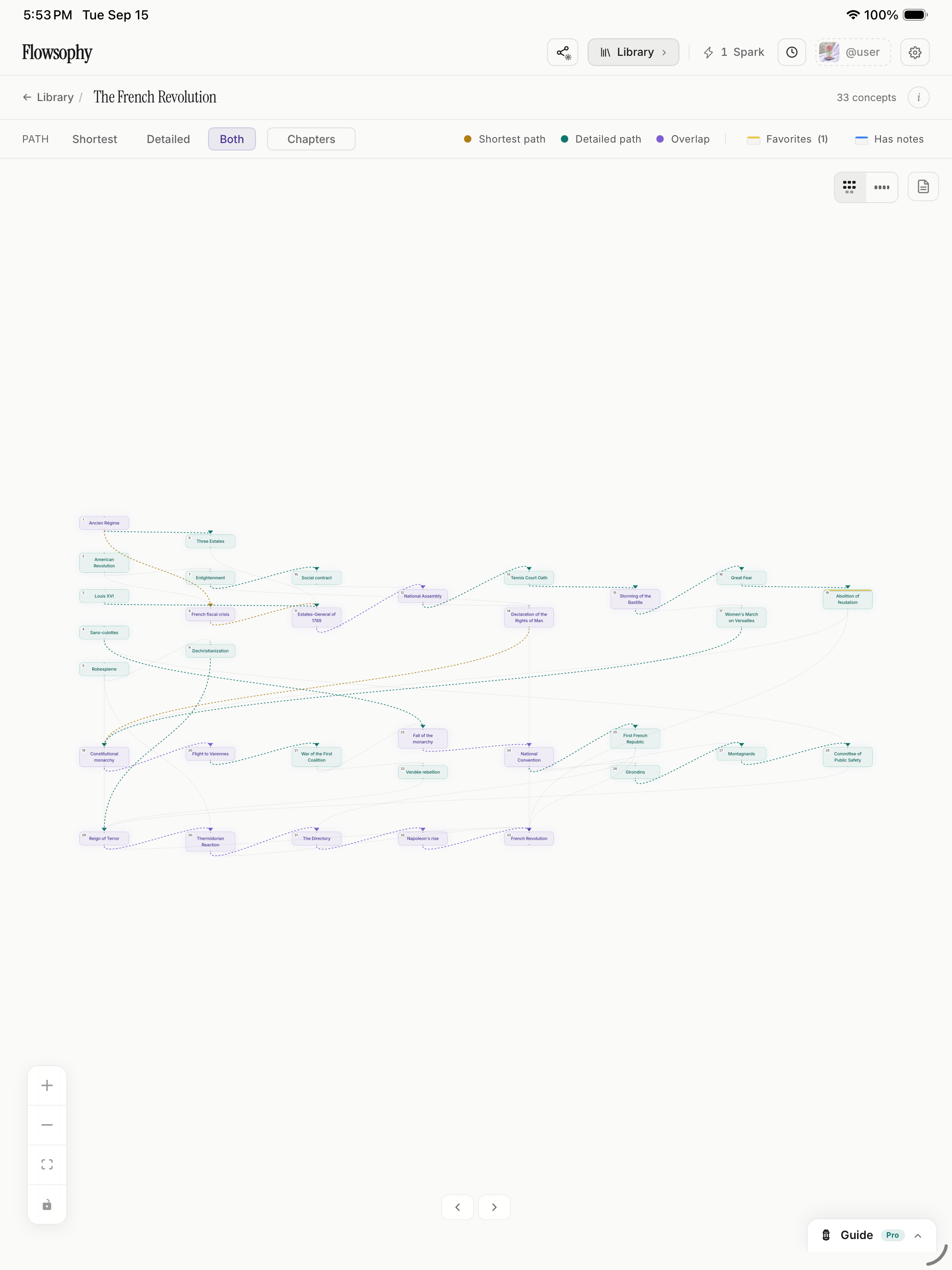
Map view
The whole subject at once. Drag around it, follow the arrows, open a concept. Gold is the shortest route, teal the detailed one, violet where they agree.
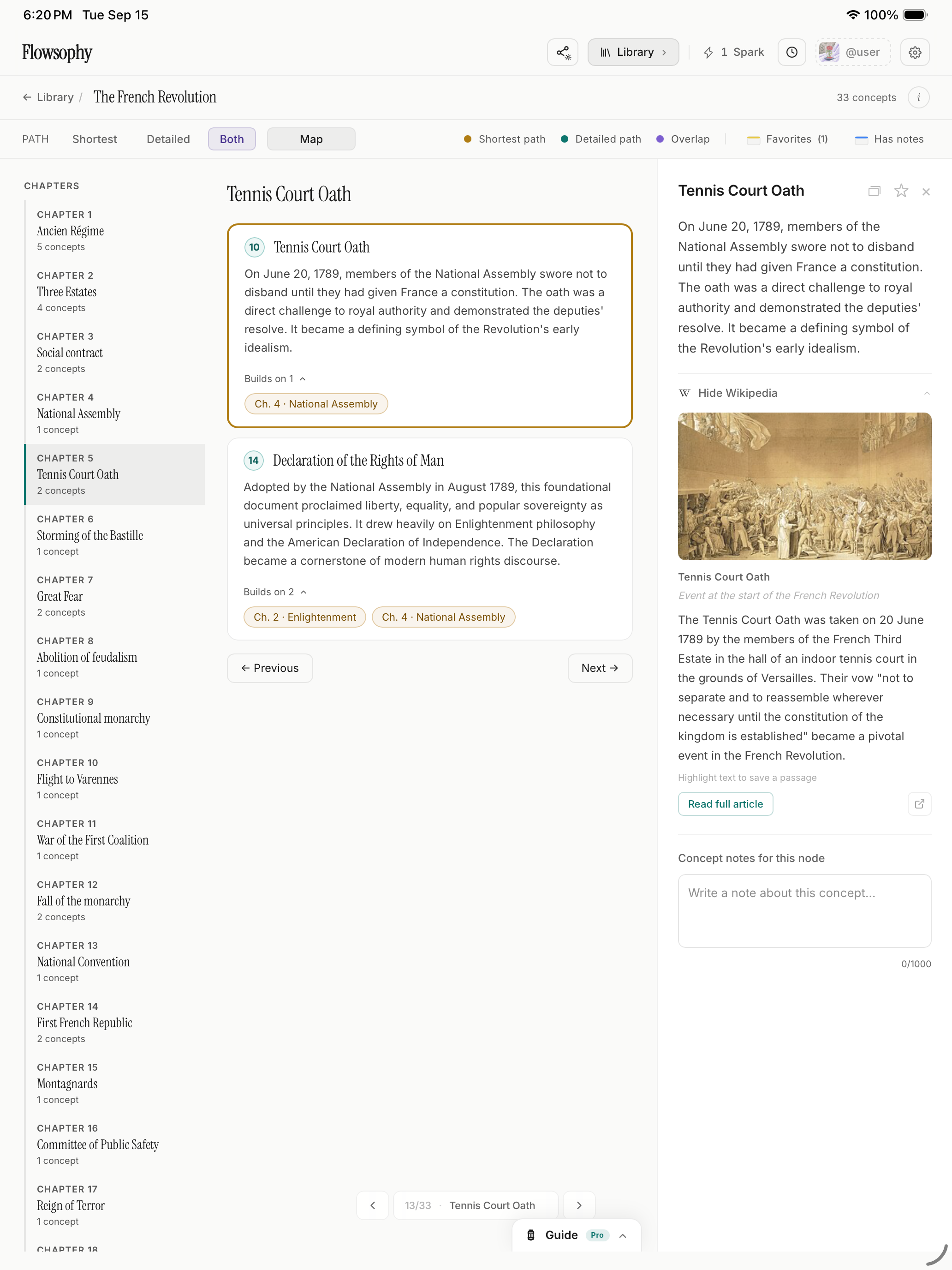
Chapters view
The same Flowmap as a reading, one chapter per layer, with "builds on" links between them. For when you want a page instead of a picture.
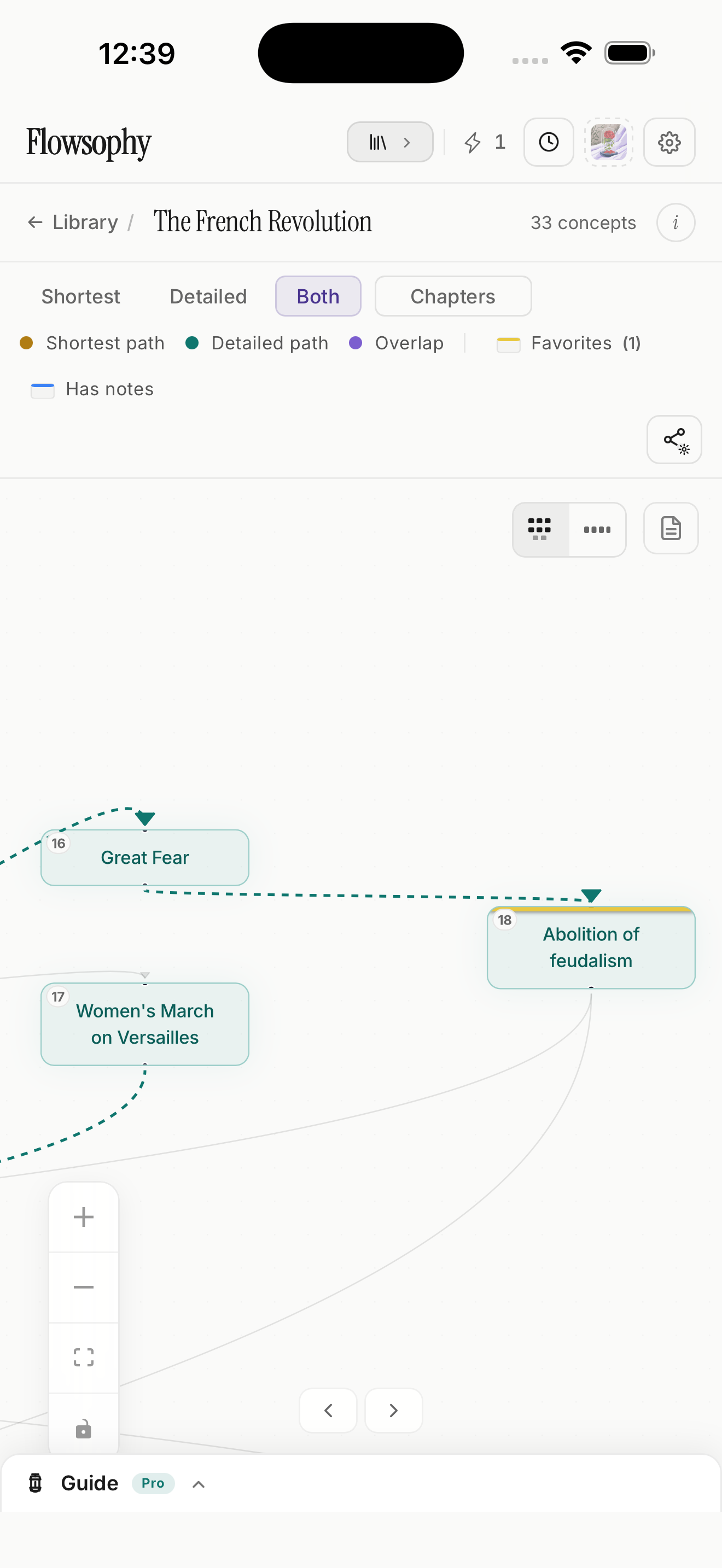
iPhone, iPad and the web
The same Flowmap, wherever you are.
Make it at a desk, open it on the train. Notes, stars and passages follow your account, and your recent Flowmaps stay on the phone without a connection.
For learners of every kind.
Students
See the prerequisites a syllabus quietly assumed, before the exam does.
Self-learners
Turn a curiosity into a route, and always know which step you are on.
Career switchers
Say what you already know and where you are headed. The map fills in only what is missing.
Educators
Share your course as a Flowmap. Students snapshot it and study it with their own notes.